%20--%3e%3c!DOCTYPE%20svg%20PUBLIC%20'-//W3C//DTD%20SVG%201.1//EN'%20'http://www.w3.org/Graphics/SVG/1.1/DTD/svg11.dtd'%3e%3csvg%20version='1.1'%20id='Layer_2'%20xmlns='http://www.w3.org/2000/svg'%20xmlns:xlink='http://www.w3.org/1999/xlink'%20x='0px'%20y='0px'%20width='200.5px'%20height='63px'%20viewBox='0%20-17%20200.5%2063'%20enable-background='new%200%20-17%20200.5%2063'%20xml:space='preserve'%3e%3cg%3e%3cg%3e%3cpath%20d='M31.706,6.106h3.869l3.427,11.386l3.427-11.386h3.87l-5.042,15.477h-4.51L31.706,6.106z'/%3e%3cpath%20d='M57.35,18.178v3.405h-9.729V6.106h9.618v3.405h-6.08v2.565h5.527v3.361h-5.527v2.74H57.35z'/%3e%3cpath%20d='M58.563,13.845c0-4.555,3.383-8.048,8.048-8.048c2.808,0,5.284,1.393,6.633,3.582l-3.051,1.769%20c-0.685-1.194-2.012-1.901-3.582-1.901c-2.742,0-4.511,1.835-4.511,4.599c0,2.763,1.769,4.599,4.511,4.599%20c1.57,0,2.918-0.707,3.582-1.901l3.051,1.769c-1.327,2.189-3.803,3.582-6.633,3.582C61.945,21.893,58.563,18.4,58.563,13.845z'/%3e%3cpath%20d='M85.29,9.511h-3.98v12.072h-3.538V9.511h-3.979V6.106H85.29V9.511z'/%3e%3cpath%20d='M85.287,13.845c0-4.555,3.604-8.048,8.048-8.048s8.047,3.494,8.047,8.048s-3.604,8.048-8.047,8.048%20C88.891,21.893,85.287,18.4,85.287,13.845z%20M97.846,13.845c0-2.764-1.99-4.599-4.51-4.599s-4.511,1.835-4.511,4.599%20c0,2.765,1.99,4.599,4.511,4.599S97.846,16.609,97.846,13.845z'/%3e%3cpath%20d='M108.587,16.499h-1.681v5.085h-3.537V6.106h6.189c2.941,0,5.308,2.366,5.308,5.307c0,1.901-1.149,3.626-2.853,4.487%20l3.295,5.684h-3.804L108.587,16.499z%20M106.906,13.403h2.652c0.975,0,1.771-0.862,1.771-1.99s-0.796-1.99-1.771-1.99h-2.652V13.403%20z'/%3e%3cpath%20d='M120.501,6.106v15.477h-3.538V6.106H120.501z'/%3e%3cpath%20d='M133.213,18.178v3.405H122.6v-2.741l5.926-9.331h-5.813V6.106h10.392v2.742l-5.926,9.33H133.213z'/%3e%3cpath%20d='M144.264,19.152h-5.748l-0.773,2.432h-3.869l5.262-15.477h4.512l5.263,15.477h-3.869L144.264,19.152z%20M143.202,15.834%20l-1.813-5.682l-1.813,5.682H143.202z'/%3e%3cpath%20d='M159.518,9.511h-3.979v12.072H152V9.511h-3.98V6.106h11.498V9.511z'/%3e%3cpath%20d='M164.6,6.106v15.477h-3.537V6.106H164.6z'/%3e%3cpath%20d='M166.587,13.845c0-4.555,3.604-8.048,8.048-8.048c4.444,0,8.049,3.494,8.049,8.048s-3.604,8.048-8.049,8.048%20C170.191,21.893,166.587,18.4,166.587,13.845z%20M179.146,13.845c0-2.764-1.99-4.599-4.512-4.599c-2.521,0-4.51,1.835-4.51,4.599%20c0,2.765,1.989,4.599,4.51,4.599C177.156,18.443,179.146,16.609,179.146,13.845z'/%3e%3cpath%20d='M196.83,6.106v15.477h-2.653l-5.97-8.402v8.402h-3.538V6.106h2.653l5.97,8.402V6.106H196.83z'/%3e%3c/g%3e%3cpath%20fill='%23EF4453'%20d='M20.592,1.449l-2.113,2.113l0.847,0.847C12.86,7.774,8.245,6.751,8.245,6.751L2.348,25.089l7.602-7.61%20c-0.061-0.107-0.117-0.218-0.167-0.332c-0.215-0.489-0.336-1.027-0.335-1.598c-0.001-2.034,1.531-3.71,3.503-3.938%20c0.152-0.018,0.307-0.028,0.463-0.028c2.19,0,3.966,1.775,3.966,3.967c0.001,0.156-0.01,0.312-0.027,0.464%20c-0.229,1.971-1.904,3.504-3.938,3.502c-0.697,0-1.353-0.18-1.922-0.496L3.91,26.605l18.304-5.888c0,0-1.023-4.614,2.342-11.08%20l1.259,1.259l2.113-2.114L20.592,1.449z'/%3e%3c/g%3e%3c/svg%3e)
%20--%3e%3csvg%20version='1.1'%20id='Layer_2_1_'%20xmlns='http://www.w3.org/2000/svg'%20xmlns:xlink='http://www.w3.org/1999/xlink'%20x='0px'%20y='0px'%20viewBox='0%200%20200.5%2063'%20style='enable-background:new%200%200%20200.5%2063;'%20xml:space='preserve'%3e%3cstyle%20type='text/css'%3e%20.st0{fill:%23FFFFFF;}%20.st1{fill:%23EF4453;}%20%3c/style%3e%3cg%3e%3cg%3e%3cpath%20class='st0'%20d='M31.7,23.1h3.9L39,34.5l3.4-11.4h3.9l-5,15.5h-4.5L31.7,23.1z'/%3e%3cpath%20class='st0'%20d='M57.3,35.2v3.4h-9.7V23.1h9.6v3.4h-6.1v2.6h5.5v3.4h-5.5v2.7L57.3,35.2L57.3,35.2z'/%3e%3cpath%20class='st0'%20d='M58.6,30.8c0-4.6,3.4-8,8-8c2.8,0,5.3,1.4,6.6,3.6l-3.1,1.8c-0.7-1.2-2-1.9-3.6-1.9c-2.7,0-4.5,1.8-4.5,4.6%20c0,2.8,1.8,4.6,4.5,4.6c1.6,0,2.9-0.7,3.6-1.9l3.1,1.8c-1.3,2.2-3.8,3.6-6.6,3.6C61.9,38.9,58.6,35.4,58.6,30.8z'/%3e%3cpath%20class='st0'%20d='M85.3,26.5h-4v12.1h-3.5V26.5h-4v-3.4h11.5V26.5z'/%3e%3cpath%20class='st0'%20d='M85.3,30.8c0-4.6,3.6-8,8-8s8,3.5,8,8s-3.6,8-8,8C88.9,38.9,85.3,35.4,85.3,30.8z%20M97.8,30.8%20c0-2.8-2-4.6-4.5-4.6s-4.5,1.8-4.5,4.6c0,2.8,2,4.6,4.5,4.6S97.8,33.6,97.8,30.8z'/%3e%3cpath%20class='st0'%20d='M108.6,33.5h-1.7v5.1h-3.5V23.1h6.2c2.9,0,5.3,2.4,5.3,5.3c0,1.9-1.1,3.6-2.9,4.5l3.3,5.7h-3.8L108.6,33.5z%20M106.9,30.4h2.7c1,0,1.8-0.9,1.8-2s-0.8-2-1.8-2h-2.7V30.4z'/%3e%3cpath%20class='st0'%20d='M120.5,23.1v15.5H117V23.1H120.5z'/%3e%3cpath%20class='st0'%20d='M133.2,35.2v3.4h-10.6v-2.7l5.9-9.3h-5.8v-3.4h10.4v2.7l-5.9,9.3H133.2z'/%3e%3cpath%20class='st0'%20d='M144.3,36.2h-5.7l-0.8,2.4h-3.9l5.3-15.5h4.5l5.3,15.5H145L144.3,36.2z%20M143.2,32.8l-1.8-5.7l-1.8,5.7H143.2z%20'/%3e%3cpath%20class='st0'%20d='M159.5,26.5h-4v12.1H152V26.5h-4v-3.4h11.5V26.5z'/%3e%3cpath%20class='st0'%20d='M164.6,23.1v15.5h-3.5V23.1H164.6z'/%3e%3cpath%20class='st0'%20d='M166.6,30.8c0-4.6,3.6-8,8-8s8,3.5,8,8s-3.6,8-8,8C170.2,38.9,166.6,35.4,166.6,30.8z%20M179.1,30.8%20c0-2.8-2-4.6-4.5-4.6c-2.5,0-4.5,1.8-4.5,4.6c0,2.8,2,4.6,4.5,4.6C177.2,35.4,179.1,33.6,179.1,30.8z'/%3e%3cpath%20class='st0'%20d='M196.8,23.1v15.5h-2.7l-6-8.4v8.4h-3.5V23.1h2.7l6,8.4v-8.4H196.8z'/%3e%3c/g%3e%3cpath%20class='st1'%20d='M20.6,18.4l-2.1,2.1l0.8,0.8c-6.5,3.4-11.1,2.3-11.1,2.3L2.3,42.1l7.6-7.6c-0.1-0.1-0.1-0.2-0.2-0.3%20c-0.2-0.5-0.3-1-0.3-1.6c0-2,1.5-3.7,3.5-3.9c0.2,0,0.3,0,0.5,0c2.2,0,4,1.8,4,4c0,0.2,0,0.3,0,0.5c-0.2,2-1.9,3.5-3.9,3.5%20c-0.7,0-1.4-0.2-1.9-0.5l-7.6,7.6l18.3-5.9c0,0-1-4.6,2.3-11.1l1.3,1.3l2.1-2.1L20.6,18.4z'/%3e%3c/g%3e%3c/svg%3e)
npm install → cd web && npm install && npm run build.
Free Vectorizer – Vectorize Multiple Images Instantly
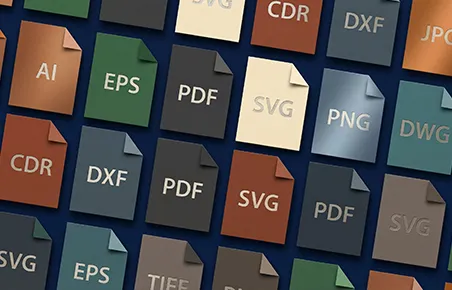
Turn bitmap images (JPG, PNG, WEBP, AVIF) into print-ready vector files (SVG, PDF, EPS, AI, CDR, DXF, DWG). Our free vectorizer can create vector logos, illustrations, photos, icons, or any graphics for screen printing, laser engraving, vinyl cutting, or digital print.
How to Use This Batch Image Vectorizer
Converting pixelated raster graphics into clean vector artwork takes only three simple steps. You need zero design background to get pristine results.
Step 1: Upload or Paste Your Images
First, drop your bitmap files directly into the upload area above. Our tool supports PNG, JPG, WebP, AVIF, GIF, and BMP formats. Alternatively, capture any screenshot and paste it straight from your clipboard with Ctrl+V.
Step 2: Fine-Tune Tracing & Preprocessing
Next, click the Edit button under any converted preview card. Here, you can experiment with color palettes, AI upscaling, edge smoothing, and background removal to find what makes your vector artwork shine best.
Step 3: Download Production Vector Files
Finally, click the colored Download All Vectorized Images button to grab a tidy ZIP archive with all converted files. Alternatively, click the green download button on any individual card to export SVG, PDF, EPS, DXF, or DWG formats instantly.
What Makes This Vectorizer Special?
Most online tools force you to convert images one by one while locking advanced features behind paywalls. In contrast, our platform gives you batch speed, professional precision, and complete creative freedom for free.
Vectorize Multiple Images at Once
Most converters process only one image at a time, which quickly derails high-volume projects. Consequently, our vectorizer lets you drop as many bitmap files as you want simultaneously without limits.
As a result, you save hours of tedious manual uploading. Our vector tracer processes each image in parallel using dedicated web workers, allowing you to download the entire set in one organized ZIP archive right away.
Intelligent Image Preprocessing
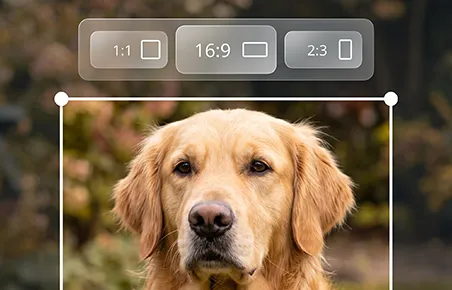
Input bitmaps rarely arrive in perfect condition. They often suffer from pixelation, low resolution, or unwanted background clutter. Therefore, our built-in preprocessing tools let you polish graphics before vector tracing begins.
Specifically, you can crop edges, upscale image resolution with local AI, remove background scenes, and add sticker contour borders. Furthermore, you can sketch touch-ups, adjust color balance, and resize images without opening third-party software.
Comprehensive Vector Postprocessing
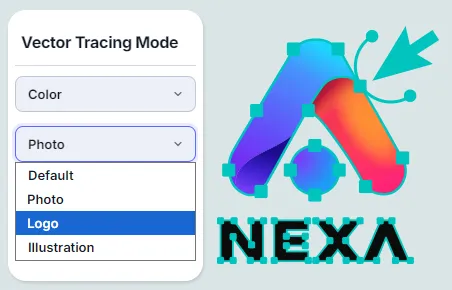
Even after vectorization, you can fine-tune every curve to meet your exact manufacturing specifications. In fact, most online converters lock final output, but our studio lets you inspect and adjust paths in real time.
Specifically, you can toggle between Stacked and Cutout layering, adjust corner tolerance, and activate our WebGPU denoiser to eliminate jagged artifacts. In addition, you can minify path lines, extract text with OCR, and invert color schemes for stencil masks.
Dynamic Palette & Color Control
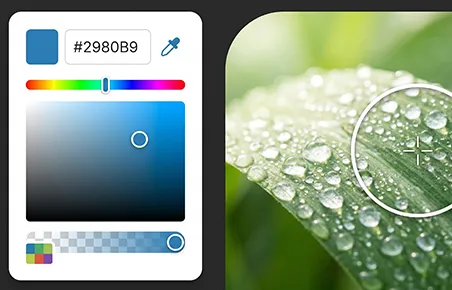
Do you need to recolor an illustration or remove dull shades from your artwork? Fortunately, our color manager gives you direct control over every tint and shade in your vector graphic.
After tracing your image, you can browse every detected color swatch, swap colors with an intuitive eyedropper color picker, or purge unwanted tones with one click. Consequently, you can establish consistent brand colors and produce vibrant artwork effortlessly.
Engineered for Speed, Quality, and Trust
Experience an enterprise-grade vectorization tool without the enterprise complexity.
100% Free Forever
Enjoy unlimited vector conversions with zero watermarks, subscription fees, or hidden paywalls.
Blazing Fast Speed
Convert dozens of graphics in parallel using native WebAssembly and high-throughput Web Workers.
Flawless Precision
Generate clean Bezier curves with smooth corners, accurate color fills, and minimal path points.
100% Private & Safe
Your artwork never leaves your computer. Everything runs strictly inside your local browser memory.
Get Top-Notch Vector Files for Production
Our vectorizer delivers professional print-ready and machine-ready files under one roof. Export to SVG, PDF, EPS, AI, CDR, DXF, and DWG with zero friction.
Websites, UI Design & Digital Apps
Modern websites and mobile applications demand lightweight vector graphics that load instantly without slowing down page speeds. Therefore, our engine outputs clean, lean SVG markup and Data URIs ready for HTML and CSS.
Best of all, our compiler removes redundant metadata and simplifies path coordinates. As a result, your web graphics remain crisp on high-DPI retina screens while keeping bundle sizes featherlight.

Laser Engraving, Cutting & CNC Routing
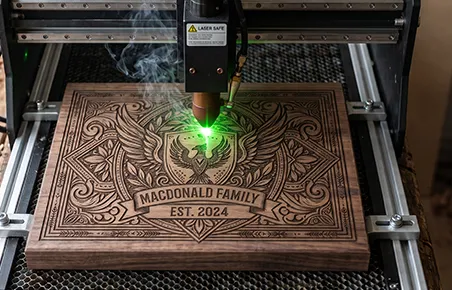
Laser workshops and CNC fabricators need high-contrast vectors with continuous, closed path geometries. Fortunately, our Black & White tracing mode produces razor-sharp outlines ideal for laser cutters, plasma or CNC routers.
Furthermore, you can invert colors in postprocessing to build negative engraving stencils with one click. Export directly to DXF or DWG formats and start machining without tedious CAD path repair.
Vinyl Cutting, Decals & Craft Plotters
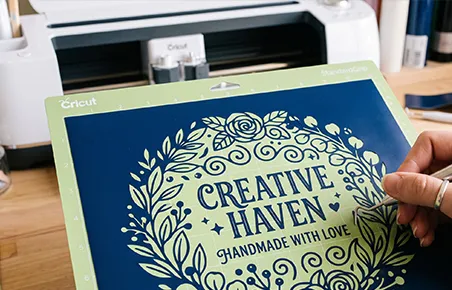
Craft plotters like Cricut, Silhouette, and Roland require clean, precise cuts without unwanted overlapping layers. Stacked Layering automatically removes hidden vector geometry from underlying shapes, helping prevent unnecessary cuts and ensuring clean, accurate results.
Consequently, your plotter blades glide along clean outlines without tearing delicate heat-transfer vinyl or adhesive foil. You can import vectors straight into your cutter software without manual path trimming in Adobe Illustrator or CorelDraw.
Screen Printing & Apparel Color Separation
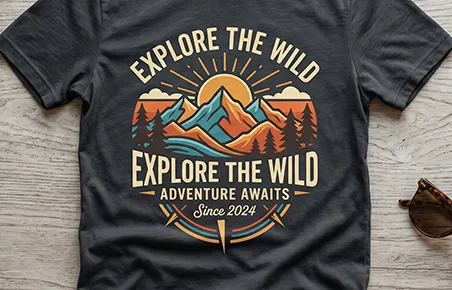
Color separation for multi-screen garment printing normally requires hours of manual drafting. However, our vector engine isolates each color tone onto its own dedicated, discrete vector layer automatically.
As a result, your print shop can produce film positives and burning screens in record time. Your graphic t-shirts and apparel prints stay crisp and accurate across small runs and high-volume production alike.
What People Say About Our Vector Converter
Discover how makers, craftspeople, and designers use our vectorizer to accelerate their creative workflows.
“I operate a custom laser engraving workshop and constantly receive low-resolution customer logos. In the past, manual tracing took me nearly 45 minutes per image. With this batch converter, I drop the bitmaps in, switch to B&W mode, and export clean DXF files in seconds. It has completely transformed my daily shop workflow.”
“The cutout layering and automatic color separation save me hours on every custom apparel project. Most online converters produce sloppy overlapping paths. This tool outputs clean, isolated vector layers ready for screen printing right out of the box.”
“I create icons and logos for startup websites and mobile apps. Converting JPG and PNG images into razor-sharp SVG code without leaving my browser is a game changer. Furthermore, knowing client designs never upload to a third-party server gives me complete peace of mind.”
Common Questions & Answers
Find quick answers regarding vector conversion, supported formats, privacy, and output options.
A vectorizer is a specialized software engine that converts raster graphics (built from colored pixel grids) into mathematical vector paths. These paths use coordinates, lines, and curves to define artwork boundaries. Consequently, vector graphics scale infinitely without pixelation or quality loss.
Bitmap images (such as PNG or JPEG) have fixed pixel dimensions; therefore, enlarging them reveals blurry, jagged edges. In contrast, vector graphics (such as SVG, PDF, or EPS) calculate shapes with geometry. As a result, you can scale them from tiny 16px icons to giant roadside billboards while preserving razor-sharp lines.
You can upload all popular raster bitmap formats, including PNG, JPEG, WebP, AVIF, GIF, and BMP. In addition, you can paste screenshots directly into our workspace from your clipboard using Ctrl+V.
No limits exist. You can upload and batch-vectorize as many files as you need with zero file size restrictions. Our vectorization tool handles batch conversions smoothly on your computer or other device.
Yes. You can edit colors, smoothing levels, and layer styles directly inside our built-in editing view. Furthermore, you can open our Free Vector Editor at any time to modify individual anchor points, curves, and text elements.
No. We never upload, inspect, or store your images on external servers. All image vectorization and processing happen entirely inside your web browser. Therefore, your artwork remains 100% confidential and secure on your local device.
Simply drag and drop your bitmap graphics into the upload area above to start converting. While other online tools demand costly monthly subscriptions or impose watermarks, our vectorizer remains completely free forever.